Update every site without holding your breath
Updates are where sites break. So every update takes a way back first, goes out in stages, and stops on its own when something looks wrong.
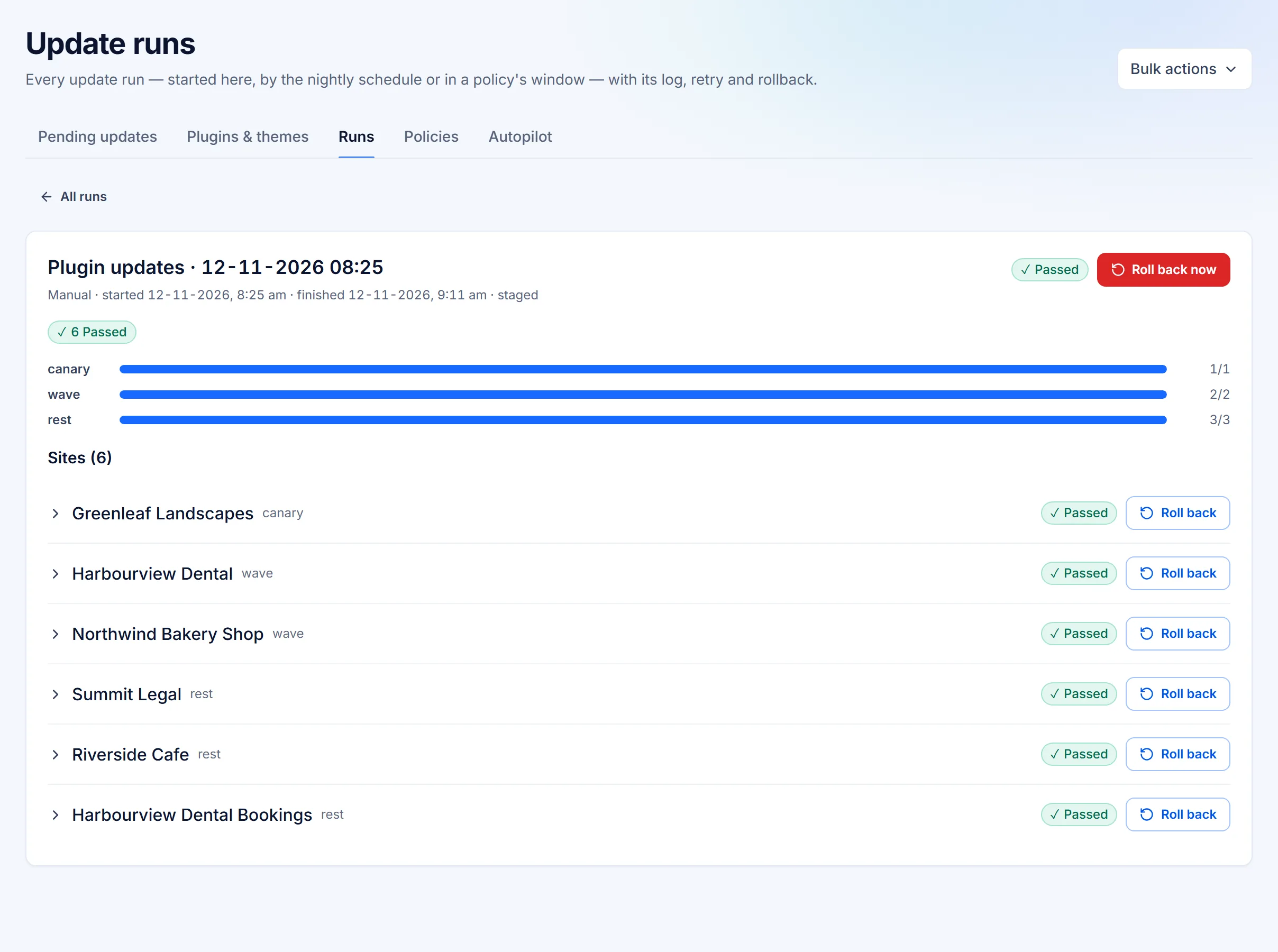
How an update runs
Backup first
No backup, no update. The plugin keeps a copy of each component's files, and a database backup is taken first unless you switch it off.
Canary
The update goes to one site first.
A wave, then the rest
If an earlier stage was rolled back or ended unhealthy, the later stages stop.
Health check
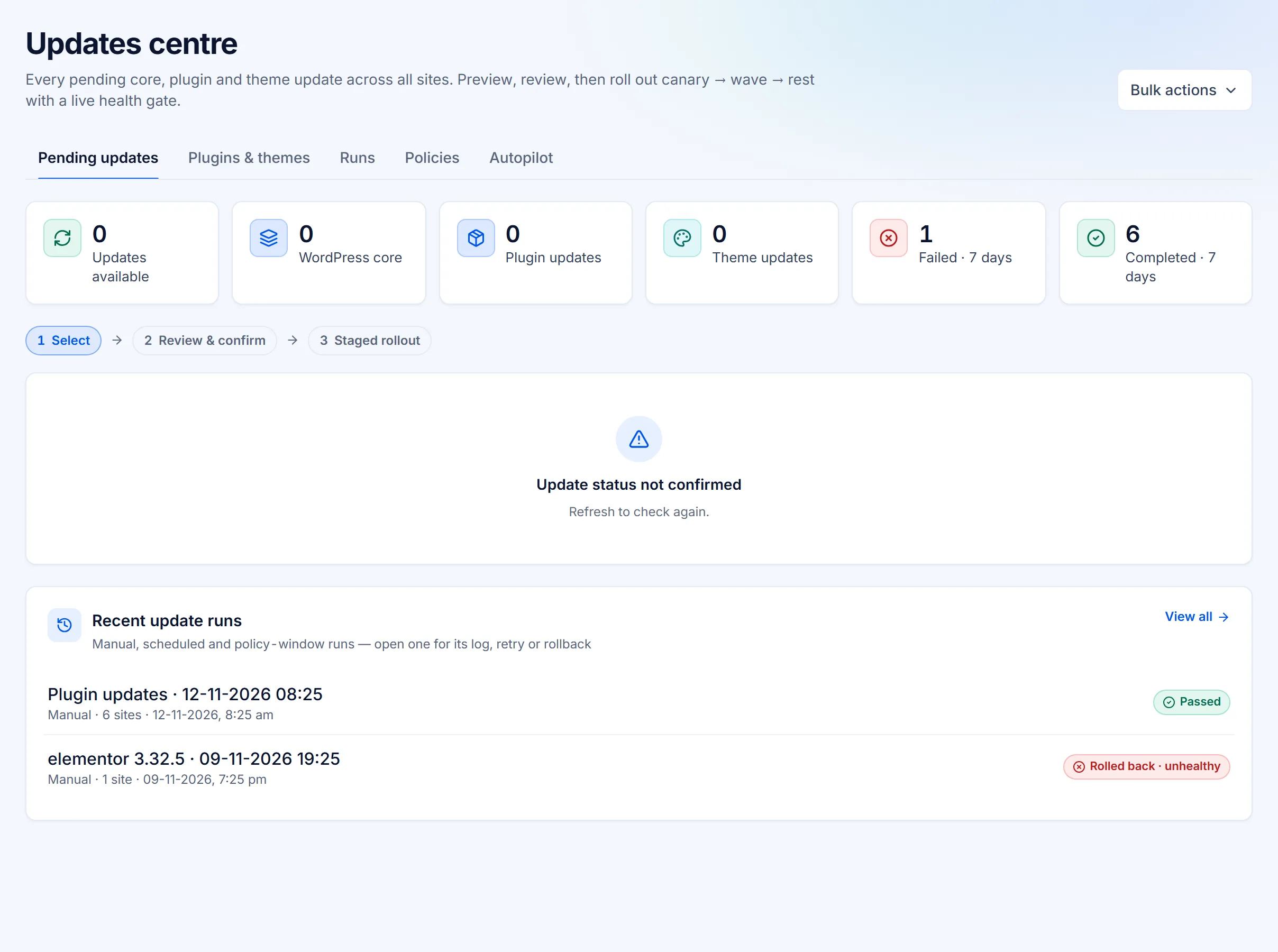
After each site updates, its pages are checked before the next stage runs.
Automatic rollback
If a site's checks fail after an update, it is rolled back.
Each stage's health decides whether the next one runs.
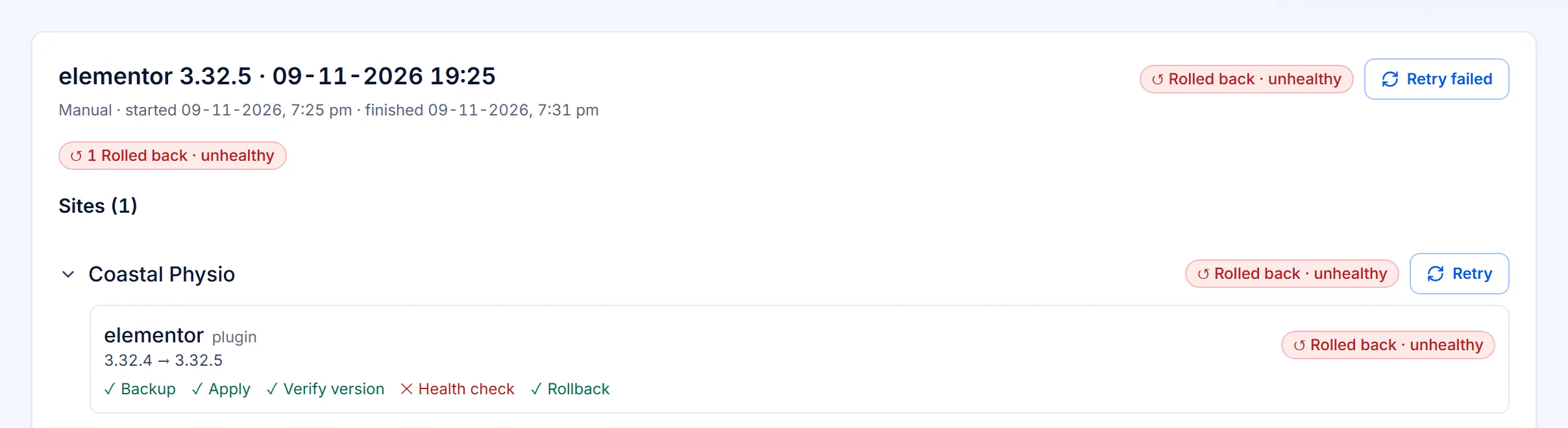
When a check fails
It rolls itself back, and says why
Every step of every update is recorded: the backup, the update, the version check, the health check and, when it fails, the rollback. The rollout stops before it reaches the next stage.
- A rollback point before anything changes
- The failed check named, not just "error"
- One click to roll back a passed run too
Visual check
See what changed on the page
Screenshots of key pages are taken before and after each update, with how much changed, side by side or on a slider. A layout that broke without an error still shows up.
Before and after
Screenshots of key pages, before and after each update.
How much changed
The difference as a figure, so a big change stands out.
Side by side, or on a slider
Compare the two the way that suits the page.
Policies and autopilot
Decide what updates itself
Decide per policy what updates itself and what waits for you. Security patches can apply automatically above a risk threshold you set.
- Core, plugins and themes, each on or off
- Minor versions only, if you prefer
- Exclusions and maintenance windows
- Security patches above your risk threshold, automatically
What happens if an update breaks a site?
If a site's checks fail after an update, it is rolled back. If an earlier stage of the rollout was rolled back or ended unhealthy, the later stages stop.
Is a backup taken before every update?
Yes, by default: no backup, no update. The plugin keeps a copy of each component's files, and a database backup is taken first unless you switch it off.
Can security patches apply on their own?
Yes, if you choose. Policies decide what updates itself, and security patches can apply automatically above a risk threshold you set. Everything else waits for you.
Can I see what changed on the page?
Yes. Screenshots of key pages are taken before and after each update, with how much changed, side by side or on a slider.
Try it on your own sites
Update with a way back.
14 days of every Business feature on up to 5 sites. Cancel before it ends and you pay nothing.